A contact form is the only page on a company website where money is directly on the line. Everything else informs. That one page converts, and it is almost always the least examined thing on the site.
When a business tells me enquiries have dried up, the form is where I look first, and the answer is rarely that nobody is interested. Either the enquiry was never delivered, or it arrived and was deleted by someone who could not tell it from the spam around it, or the buyer gave up before pressing send.
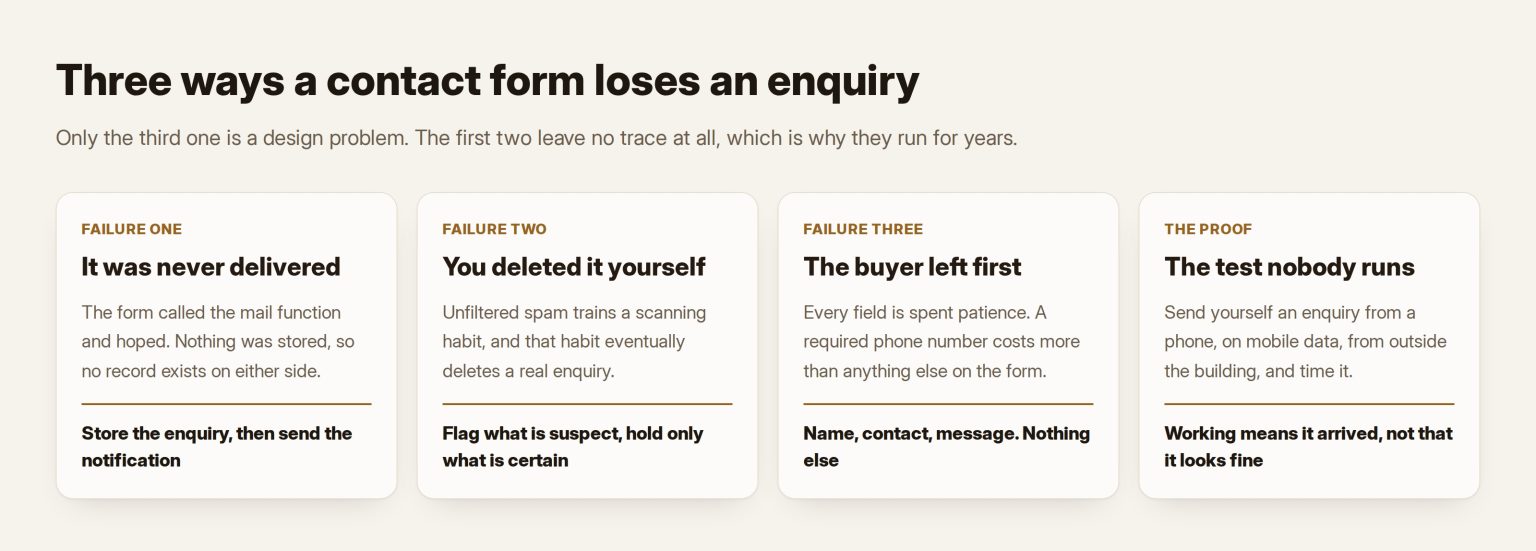
Three different failures, three different fixes, and only the third is a design problem.
1. The enquiry that was never delivered
Most contact forms do exactly one thing when submitted: they call the server’s mail function and hope. Nothing is stored. If that message does not arrive, there is no record anywhere that anyone ever wrote to you.
That is the failure nobody detects, because a lost email leaves no trace on either side. The sender saw a thank-you page. You saw nothing. There is no queue to check.
The cause is usually authentication. Mail sent by a website claims to be from your domain but comes from a machine that is not your mail server, and receivers judge that claim strictly now. Google’s sender guidelines require SPF or DKIM of every sender and all three of SPF, DKIM and DMARC of bulk senders, with spam complaints under 0.3 per cent. Microsoft has moved the same way. A domain with no DMARC record is not blocked outright, but it has nothing to show when someone else sends mail using its name, and its own mail is judged on thinner evidence.
Two fixes, in this order.
Store the enquiry before you send it. The form writes a record, then sends the notification. If the mail fails, the enquiry is still in the admin area where someone can find it. A small change that converts a silent permanent loss into an inconvenience, and I would make it on any site regardless.
Then fix the authentication. SPF and DKIM on the sending domain, and a DMARC record starting at monitoring so you can see what is actually sending as you, before anything stricter. Publishing a strict policy first is how a company blocks its own contact form. And check where the notification lands: a business address on a different domain from the site is a common and fixable reason form mail is filed as suspicious.
One more that costs nothing. Put the site name in the subject line. If you run more than one domain into the same inbox, the notification that does not say which site sent it is the notification that gets skimmed past.
2. The enquiry you deleted yourself
This one is uncomfortable, because the site worked and the mail arrived and a person made the mistake.
An unfiltered contact form on any live domain receives spam continuously, in enough volume that whoever checks the inbox develops a habit of scanning and deleting. That habit is what eventually deletes a real enquiry.
Rather than argue from impressions I triaged every stored enquiry on my own Kuwait site. All of them were spam. Nine carried the same fabricated company name. Every one was recognisable by a person in under two seconds, and what made them recognisable is exactly what a machine can be told to look for:
- A link with almost no words around it. Strip the URLs and count what is left. Under a dozen words and it is a link drop, not an enquiry.
- Essay length with no link. Thousands of characters of generic prose is a template, not a person describing a project.
- A run of characters in a script the site has no audience for.
- A project description short enough that nobody who wanted the work would have written it.
Note the third one carefully: excluding Arabic from that rule is not optional on a Gulf site, and it is the kind of detail a generic plugin gets wrong.
The decision that matters more than any rule is what happens to a suspected message. The tempting answer is to hold it silently, and I would argue against it. A missed client costs vastly more than a deleted email, so anything merely suspicious still sends the notification with a flag in the subject, and only a hard signal is held quietly for review. The filter’s job is to make the inbox scannable, not to make decisions about revenue.
3. The buyer who left before pressing send
The third failure produces no record at all, which is why it survives for years.
Every field is a small negotiation. A buyer who has decided to contact you brings a fixed amount of patience, and each question spends some of it. Ask for what you need in order to reply and nothing else: a name, a way to reach them, and what they want. Everything after that is your convenience paid for with their willingness.
The specific things I remove, in the order I remove them:
- A required phone number. It converts worse than anything else on a contact form. Plenty of buyers will type an email address and will not hand over a phone number to a company they have not spoken to. Ask for it, do not require it.
- A budget dropdown. Buyers who do not know the range yet leave rather than guess wrong and look foolish, and those are frequently the good enquiries.
- “How did you hear about us.” That is analytics work, not a question for the customer.
- Placeholder text instead of labels. The label disappears the moment someone types, which is exactly when they need it. The W3C guidance on labelling form controls is blunt about this: most people prefer or need a visible label.
On structure, the GOV.UK guidance on question pages is the most tested writing on forms in public, and its starting position is one question at a time, with grouping only where research justifies it. A contact form is short enough to live on one screen, but the underlying instinct holds: fewer things being asked at once, each one obviously answerable.
And the bilingual point, which is specific to this market. A form is not translated by translating its labels. The error messages, the placeholder examples, the confirmation screen, the notification email and the phone-number format all have to work in both languages, and the failure is nearly always in the parts nobody looked at. That is the same pattern as Arabic built second: the interface is translated and the machinery around it is not.
The captcha argument, since it always comes up
The reflex when spam arrives is to put a puzzle in front of the form. I would not, and the economics are the reason.
Human solving services price around a quarter of a dollar per thousand solves, returned in about half a second, and machine solvers have beaten humans at the visual puzzles for years. A determined spammer pays a fraction of a cent to submit your form. Your buyer, on a phone, on hotel wifi, in a second language, pays real attention and sometimes fails. The puzzle taxes the customer and prices in as a rounding error for the spammer, which is the wrong trade in both directions.
What works is layered and invisible. A hidden field no human sees but automated submitters fill. A timestamp check, because a form completed in under two seconds was not completed by a person. A reputation service. Local content rules of the kind above. And if that proves insufficient, an invisible challenge such as Cloudflare Turnstile, which works on any site without routing traffic through Cloudflare and shows no puzzle. I build that layer and leave it off until the evidence calls for it, because every gate between a buyer and your inbox has to earn its place.
What I would actually ship
- Store every submission as a record first, then send the notification. Nothing is ever lost to mail delivery again.
- Put the site name at the front of the notification subject.
- Fix SPF, DKIM and DMARC on the sending domain, DMARC at monitoring first.
- Add the hidden field and the timing check. Free, invisible, and they remove the least sophisticated traffic entirely.
- Add a reputation service, and content rules written from your own spam rather than someone else’s.
- Flag rather than hold, except on hard signals.
- Cut the fields to name, contact and message. Make the phone number optional.
- Check the whole flow in both languages, including the error states and the confirmation.
- Send yourself a test enquiry from outside the building, on a phone, on mobile data, and time how long it takes to arrive.
That last step is the one nobody does, and the only one that proves the other eight. A form is not working because it looks like it is working. It is working because a message you sent from a phone on a foreign network reached the inbox, with the right subject, inside a minute — and a record of it exists whether or not it did.
This gets deferred until an enquiry is provably lost, and by then you cannot know how many came before it — the same shape as the other choices that are cheap now and expensive later, in the technology decisions a company pays for twice. It also touches personal data the moment a name and a number are stored, so what the PDPL asks of you applies to the enquiry table too.
If the form is part of a larger rebuild, it belongs in the scope from the start rather than the week before launch, and that is part of how I scope work as a web consultant in the UAE and inside WordPress design and development.
Rebuilding the form and the routing behind it so enquiries stop disappearing is my company’s work: AI agents and automation at Tothiq.
Frequently asked questions
How do I know whether my contact form is even sending?
Send a test from outside your own network, on mobile data, from an address at a different provider. Then check the spam folder, not just the inbox. Arriving in spam means the problem is authentication rather than the form. Not arriving at all, with no record in the site, means you have both problems, and storing submissions first stops the loss immediately.
Is a plugin enough, or does this need custom work?
A reputation plugin handles the volume and is worth having. What it does not do is store the enquiry before mailing it, put your site name in the subject, or apply rules written from your own spam rather than a global average. Those three are where the real losses happen, so the honest answer is a plugin plus a few hours.
We get almost no spam. Do we still need any of this?
The spam layer you can skip for now. The delivery layer you cannot. A form receiving little spam and few enquiries is exactly the shape a broken notification produces, and the two are indistinguishable until submissions are stored. Store first, then decide how much filtering the traffic justifies.
Should the form ask in Arabic or English?
In whichever language the page is in, and completely. A form whose labels are Arabic while its errors, confirmation and notification are English tells the buyer the Arabic side is decoration. If only one language can be done properly, do that one and say so, rather than shipping a half-translated flow.
How many fields is too many?
Anything beyond a name, a way to reply and a description of the work is paid for with the buyer’s willingness. A field that exists for your internal process rather than for the reply belongs in the reply. You can ask a person anything once they are already talking to you.